
- File
-
Desain
-
-
Semua kategori -
Category #1 - New Category
-
My designs
-
- Share
-
Bantuan
-
Quick help
- ctrl+a
Select all objects
ctrl+d Double the activate object
ctrl+e Clear all objects
ctrl+s Save current stage to my design
ctrl+o Open a file to import design
ctrl+p Print
ctrl++ Zoom out
ctrl+- Zoom in
ctrl+0 Reset zoom
ctrl+z Undo changes
ctrl+shift+z Redo changes
ctrl+shift+s Download current design
delete Delete the activate object
← Move the activate object to left
↑ Move the activate object to top
→ Move the activate object to right
↓ Move the activate object to bottom
shift+← Move the activate object to left 10px
shift+↑ Move the activate object to top 10px
shift+→ Move the activate object to right 10px
shift+↓ Move the activate object to bottom 10px - Custom help content

Copyright © 2022 Vesyen.Com
All Rights Reserved.Powered by Lumise version 1.9.9
-
- Shop
- Undo
- Redo
-

-
 English
-
Indonesian
Bahasa
-
- 0.0
-
My cart
- Kembali Ke Toko
- Desain
- Product
- Templates
- Cliparts
- Gambar
- Text
- Shapes
- Lapisan
- Menggambar
Klik atau jatuhkan gambar di sini
Klik atau seret untuk menambahkan teks









Mode menggambar gratis
Save this color
Tips: Mouse wheel on the canvas to quick change the brush size
Pelaporan Bug
Please let us know if you find any bugs on this design tool or just your opinion to improve the tool.
Tips: If you want to send content with screenshots or videos, you can upload them to imgur.com or any drive services and put links here.
-
Start designing by adding objects from the left side
- Semua objek yang dipilih dikelompokkan | Ungroup?
- Grup objek Kelompokkan posisi objek yang dipilih
-
-
Isi opsi
Save this color
-
- Buat QRCode
-
Options
-
Sejajarkan posisi
objek aktif dengan objek lain secara otomatis -
ON: Keep all current objects and append the template into
OFF: Clear all objects before installing the template -
Replace the selected image object instead of creating a new one
-
- Replace image
- Pangkas
-
Mask
-
Select mask layer
-
-
Remove background
-
Remove background
-
Dalam:
-
Mode:
-
-
Filter
-
Filter
-
- Original
- B&W
- Satya
- Doris
- Sanna
- Vintage
- Gordon
- Carl
- Shaan
- Tonny
- Peter
- Greg
- Josh
- Karen
- Melissa
- Salomon
- Sophia
- Adrian
- Roxy
- Singe
- Borg
- Ventura
- Andy
- Vivid
- Purple
- Thresh
- Aqua
- Edge wood
- Aladin
- Amber
- Anne
- Doug
- Earl
- Kevin
- Polak
- Stan
-
Kecerahan:
-
Saturation:
-
Kontras:
-
- Hapus Filter
- Klik lalu seret mouse untuk mulai menggambar. Ctrl+Z = undo, Ctrl+Shift+Z = redo
- QRCode text
-
Isi opsi
-
Isi opsi
Save this color
-
Transparent:
-
Stroke width:
-
Stroke color:
-
- Ungroup position
-
Atur lapisan
-
Position
-
Object position
Lock object position:
-
Vertikal tengah
-
Top left
-
Top center
-
Top right
-
Tengah Horizontal
-
Middle left
-
Middle center
-
Middle right
-
Press ← ↑ → ↓ to move 1 px,
Hit simultaneously SHIFT key to move 10px -
Kiri bawah
-
Tengah bawah
-
Kanan bawah
-
-
Transforms
-
Rotate:
-
Skew X:
-
Skew Y:
-
Flip X:
Balik Y:
Transformasi gratis dengan menekan SHIFT
-
-
Keluarga font
-
Edit teks
-
Edit teks
-
-
Ukuran font:
-
Spasi huruf
-
Tinggi garis
-
-
Text Effects
-
Text Effects
-
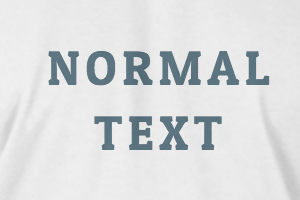
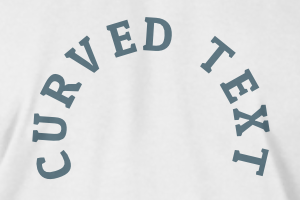
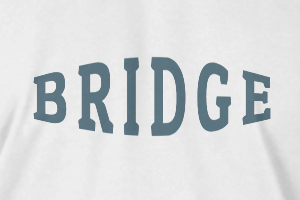
-
Radius
-
Spacing
-
Kurva
-
Tinggi
-
Offset
-
Trident
-
-
Text align
- Uppercase / Lowercase
- Berat font tebal
- Text style italic
- Text underline
Please select a product to start designing
Scroll to zoom